
Vertical AI Assistants: Architecture, Memory, and Tool Calling
There's a substantial difference between a chatbot and a vertical AI assistant. A chatbot responds. An assistant knows the domain, remembers the context, uses concrete tools, and behaves like a consultant who has already read the client's file before the meeting.
LD Chat v3.2 is the framework Livedata uses to build this second type of assistant. This article explains how it works, why we made certain architectural choices, and what "vertical AI assistant" actually means when we move beyond theory and into production.
The first generation of AI assistants for websites followed a simple model: chat widget → OpenAI API → generic response. It worked reasonably well for FAQs, but less so for everything else.
The limitations were structural. The model knew nothing about the specific domain—real prices, available rooms, catalog products, company procedures. Each response was a probabilistic reconstruction based on general training data. The model "invented" plausible prices, cited nonexistent policies, and suggested solutions that didn't correspond to the customer's actual offering. The second limitation was memory. Each message started from scratch. A user who wrote "what you told me before" received a response that took nothing of what had been said before into account, because there was no "before" in the model's context.
The third limitation was the interface. Plain text isn't enough to communicate a product catalog, a comparison of options, or a project timeline. Structured information requires a structured UI—cards, tables, chips—not paragraphs.
LD Chat was created to solve these three problems systematically.
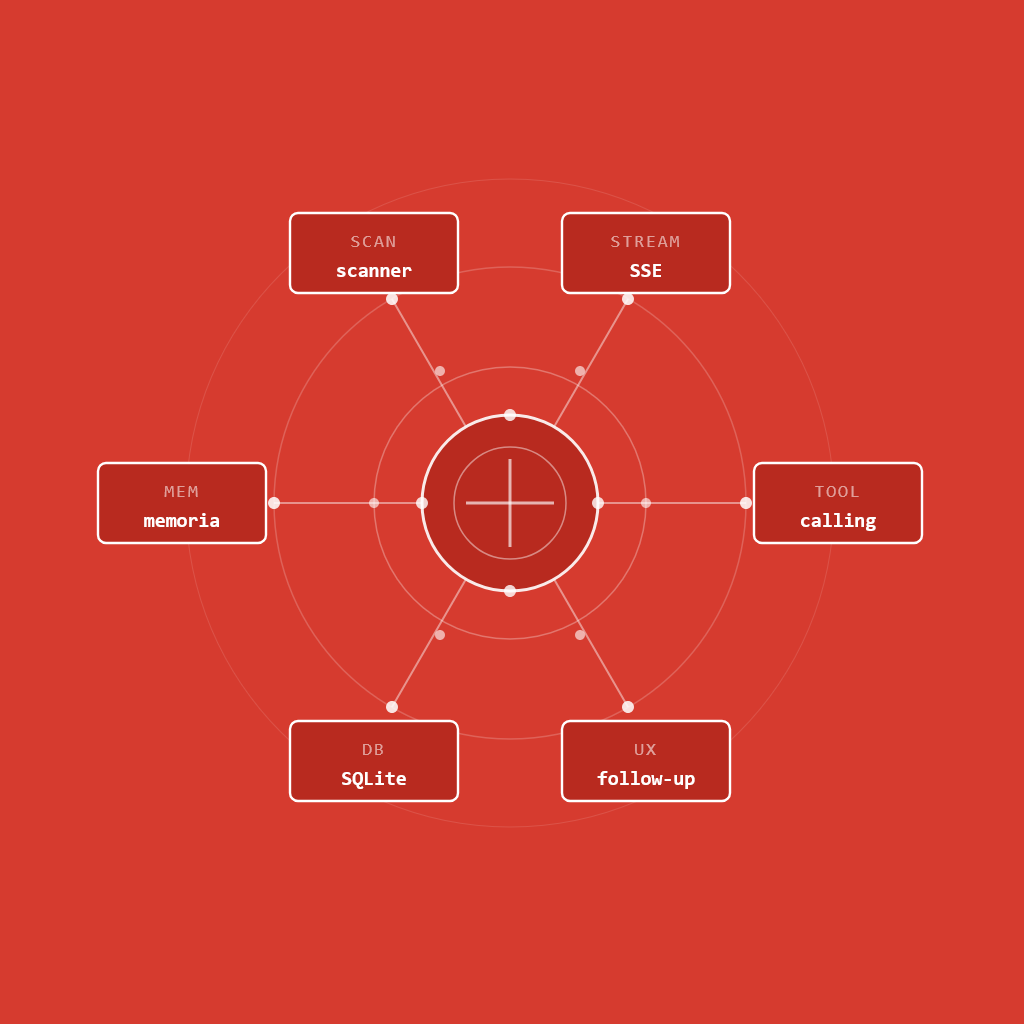
The Architecture: Seven Integrated Layers
Level 1 — Tool Calling Instead of Inline Tokens
The first version of LD Chat used a homemade pattern: the model generated special tokens in the text ([[service:custom-website]]) that the frontend intercepted with regular expressions and converted into Vue components. It worked, but it was fragile. If the model slightly altered the token format — which it did — the parsing silently failed.
With LD Chat v3.0, we switched to OpenAI's native tool calling. The model doesn't "write" tokens into the text — it calls typed functions with parameters validated by JSON Schema. The server intercepts the call, executes the function, returns the structured data to the model, and the model resumes the stream with the final response.
User: "How much does a custom website cost?"

[Model decides to call show_service_card]
→ server: executeToolCall('show_service_card', { service_id: 'custom-website' })
→ SSE event 'tool_call' → frontend shows placeholder
→ SSE event 'tool_result' → frontend renders the card
[Model resumes the stream]
→ "For your project, this solution includes..."
The result is a seamless stream with no visible breaks, with cards appearing inline in the conversation flow. Zero regex parsing in the frontend. Server-side data typed and validated.
Seven tools are available in v3.2: show_service_card, show_comparison_card, show_checklist_card, show_stats_card, show_timeline_card, scan_website, and suggest_followups. Adding a new one requires three steps—JSON Schema definition, executor case, Vue component—without touching the main server.
Level 2 — The Agentic Loop
An assistant that can only call one tool per response is limited. An assistant that can execute sequences — crawl a site, then generate contextual follow-ups — is something different.
LD Chat implements an agentic loop in the request handler:
while (loopCount < MAX_LOOPS) {
OpenAI stream
if (finish_reason === 'tool_calls') {
run tool
add tool_result to conversation
continue loop (second call)
} else {
break (response completed)
}
}
The loop has a safety cap (MAX_LOOPS = 4) to avoid infinite spirals. In practice, the longest sequence is: scan website → response → suggest followups, three loops with a marginal latency cost that the user doesn't notice because the stream is already active.
The only tool that can Following another in the same response is suggest_followups, explicitly declared as an exception in the system prompt. All others: one per response.
Level 3 — Three-Level Memory
This is where most AI assistants fall short.
RAM (fast, ephemeral): Each active session lives in an in-memory Map<sessionId, SessionEntry>. The client no longer sends the entire history with each request — the server maintains the buffer. This eliminates the risk of client-side history manipulation and reduces the payload of each request.
Asynchronous Compression: When a session exceeds 10 rounds, a non-blocking call to gpt-4o-mini with temperature 0.3 produces a compressed summary of previous rounds. The buffer empties, but the summary remains. The current stream is never blocked — Compression occurs after the server has already responded to the user.
[SessionStore] Compressing session ld_906e3580: 20 msgs → summary
[SessionStore] Session ld_906e3580 compressed + persisted.
Summary: "The user asked for information about Livedata projects..."
SQLite (durable, cross-session): The compressed summary is written to disk. When a user returns—even after days, even after a server restart—the summary is loaded from SQLite and injected into the system prompt. The assistant picks up the thread without the user having to repeat anything.
The TTL is configurable: 90 days for conversation logs, 180 days for user profiles and summaries. All via environment variables, without any code changes.
Level 4 — The Website Scanner
One of the most concrete use cases for a B2B assistant is This: the user shares their site URL, the assistant analyzes it and responds with specific observations instead of asking generic questions.
websiteScanner.js fetches the page (timeout 8 seconds, max 500KB), extracts the title, meta description, H1/H2 heading structure, canonicalization, and detects the technology stack via technical signatures in the HTML code:
- CMS: WordPress, ProcessWire, Shopify, Webflow, Ghost, and others
- JS Frameworks: Next.js, Nuxt, Vue, React, Angular, Svelte, Astro
- Analytics: Google Analytics, GTM, Plausible, Hotjar, Clarity
- Hosting/CDN: Vercel, Netlify, AWS, Aruba, and others
An important technical note: Detection signatures use Always unique technical markers, never the mere presence of the name in the text. Astro detection, for example, checks data-astro-*, /_astro/ in paths, or the event listener astro:page-load — not the word "astro" in the page content, which would result in false positives.
Security is implemented in layers: an allowlist of accepted TLDs, a blocklist of 30+ common service domains, a block of private addresses (RFC1918, loopback, link-local, naked IPs), and rate limiting per session (max 3 scans) and global (max 30/minute).
Level 5 — Dynamic, contextual follow-ups
Traditional follow-ups are hard-coded: "Want to know more?", "Do you have any other questions?". Useless.
In LD Chat v3.2, follow-ups are generated by the model at the end of each response using the suggest_followups tool. The model produces 2-3 questions specific to the context of the conversation, each with a semantic type: deepen (technical insights), scope (project clarification), action (concrete next step), compare (comparison between options).
The frontend renders the chips with a colored dot per type—purple for deep, green for scope, coral for action, amber for comparison— This provides an immediate visual cue about the question's intent without adding textual noise.
json
{
"items": [
{ "text": "How does ProcessWire compare to WordPress?", "type": "deepen" },
{ "text": "I have a hotel — how is it different from a standard site?", "type": "scope" },
{ "text": "How do I request a quote?", "type": "action" }
]
}
Level 6 — The Disciplined Prompt System
The LD Chat prompt has a rigid structure: identity → customer journey → format (non-negotiable) → tools → conversational pace → style → real-world references → out-of-scope → knowledge base.
The format block comes before everything else, a high-priority position in the context window. It includes explicit prohibitions worded imperatively — "PROHIBITED in every response, no exceptions" — with concrete negative examples:
WRONG EXAMPLE (NEVER do this):
"Observations: • CMS: ProcessWire • SEO: meta needs improvement
- Stack: modern. Let me know if you'd like to elaborate further."

CORRECT EXAMPLE:
"ProcessWire custom — good sign for performance. The meta
description is too generic for SEO. What made you
evaluate the site now?"
On gpt-4o-mini, explicit negative examples work better than abstract prohibitions alone. The model needs to see what not to do, not just be told not to do it.
Level 7 — Analytics and Observability
A production assistant generates data. LD Chat v3.2 tracks every conversation in SQLite: response source (AI or deterministic fallback), services mentioned, three-level conversion signals (interest & contact request & quote), user language, and hourly distribution.
The analytics dashboard built on this data offers eight views: conversation volume over time (AI vs. fallback), an hourly heatmap to identify traffic spikes, a conversion funnel, a word cloud of frequently asked questions, a user intent profile matrix (times), a Sankey conversation flow, language distribution, and a real-time live feed of active conversations. The data can be exported to CSV for external analysis.
For customers who receive the assistant as a service, the dashboard becomes the tool they use to measure ROI — how many conversations are managed, how many qualified leads are generated, and which services are most frequently searched for.
Model Choice: Why gpt-4o-mini
A legitimate question is: why not GPT-4o or Claude Opus for a professional assistant?
The answer is pragmatic. For vertical assistants with a defined knowledge base, the quality of the response depends mainly on three factors: system prompt precision, RAG knowledge base quality, and tool calling structure. The model is important, but it is not the dominant factor.
gpt-4o-mini has low latency—critical for SSE streaming where every hundredth of a second counts. It has a much lower token cost—important when handling long conversations with asynchronous compression. And it supports native tool calling with the same API as GPT-4o.
We use more advanced models. Powerful for specific tasks: summary compression uses gpt-4o-mini at temperature 0.3 (synthesis tasks, not creativity). The Planner+Executor pattern, in the roadmap, would use GPT-4o for planning and gpt-4o-mini for execution.
Multilingual support as a native option
LD Chat is designed to support multilingual support as a configurable option, not as a retrofit. The architecture adopts the detect-once, propagate-always principle: the language is detected only once when the chat is opened (URL parameter → localStorage → navigator.language → default Italian) and propagated to every level of the system.
This means that the system prompt receives an explicit language block in the user's language, deterministic fallbacks return answers in the correct language, the suggest_followups tool generates follow-up questions in the user's language, Text-to-Speech uses the appropriate voice, and UI strings (placeholders, labels, error messages) are localized via a centralized i18n object.
SSE: Why Not WebSocket
A technical choice worth explaining is the streaming protocol. LD Chat uses Server-Sent Events (SSE) instead of WebSocket.
SSE is unidirectional (server → client), simpler to implement, compatible with any reverse proxy without special configuration (just proxy_buffering off and X-Accel-Buffering: no on Nginx), and requires no handshake—the connection is a normal HTTP with Content-Type: text/event-stream.
For a conversational assistant, the flow is almost always unidirectional: the client sends a message (standard POST), the server responds in streaming (SSE). WebSocket would make sense for real-time collaborative applications—not for this use case.
The SSE channel carries typed events: source (indicates the source of the response), delta (streaming text chunks), tool_call (the model is calling a tool), tool_result (structured data ready for rendering), followups (dynamic chips), services (for analytics), done (end of stream), error (with recoverable flag).
What we learned
Working on LD Chat, we verified two behaviors of the model that the prompt engineering literature describes but that are different to experiment with in production. The first: the position of instructions in the context window is important. Critical rules placed at the top of the prompt—before the knowledge base, before references—hold up better over long conversations than the same rules placed at the bottom. The second: explicit negative examples consistently work better than abstract prohibitions. Writing "PROHIBITED using bulleted lists" produces worse results than showing, side by side, the incorrect answer in bullets and the correct one in prose. The model isn't following a rule—it's imitating a pattern. Giving it the incorrect pattern not to imitate is more effective than describing the prohibition in abstract terms.
Fluency Perceived performance depends on the SSE architecture. Before native tool calling, the frontend had to intercept partial tokens during streaming and hide them until complete parsing. This caused visible micro-interruptions. With tool calling, the text arrives clean, and the frontend doesn't have to perform any mid-stream transformations.
Rate limiting must be two-tiered. IP and session. An IP-only rate limit can be circumvented with proxies. A session-only rate limit can be circumvented with multiple session IDs. Both together cover real-world use cases.
Memory is the feature users notice least and appreciate most. No user will say, "Great asynchronous compression." But everyone notices when an assistant greets them with, "Last time you told me about a website for your hotel — are we still on that scope?" after a week of absence.
Roadmap
Three features that would complete the system commercially:
send_inquiry_email — the sales cycle doesn't close without a moment of conversion. The tool collects the name, email, and project scope from the conversation and sends a pre-formatted brief. No booking engine, no CRM integration — just SMTP and a structured email that arrives pre-qualified.
Proactive nudge — the assistant initiates it. Behavioral triggers (scroll depth, page time, exit intent) open the chat with a contextual message. With cross-session memory enabled, the message can be Be personalized: "Welcome back—have you had a chance to evaluate the hotel website proposal?"
Planner + Executor—for complex queries that require planning. A quick first call (GPT-4o) plans which tools to use and in what order. A second call (gpt-4o-mini) executes the plan in streaming. Response quality improves on multi-step queries without increasing perceived latency.
Conclusion
A professional vertical AI assistant is not a chatbot with a longer system prompt. It is a system in which each layer—tool calling, memory, streaming, security, prompt engineering—is designed to work coherently with the others. Remove one, and the others lose their meaning: memory without tool calling is a silent archive, tool calling without a disciplined prompt is a machine that randomly decides when to act.
LD Chat is the result of an iterative process, made up of real conversations in production and deliberate technical choices rather than features added by inertia. It is not a finished system—no software is—but it is solid enough to serve as the basis for very different assistants: a B2B digital consultant, a hotel concierge, a marina assistant. The domain and data change; the architecture remains the same.
If you're evaluating an AI assistant for your website or organization, the right question isn't "which chatbot should I use," but "what does the person writing to me really need, and what should an assistant know and be able to do to meet that need?" The answers determine the architecture. The architecture determines the product.
Livedata — livedata.it Custom web development, vertical AI assistants, data viz dashboards Request a quote · info@livedata.it